

Dear FileMaker Hacks,
In my personnel database, how can I find all birthdays in a given range, for example, between September 8 and November 15?
— Perplexed in Peoria
Dear Perplexed,
You do come up with some interesting questions. As I recall from our previous correspondence, you are in the US, where dates are formatted M/D/Y, so we’ll use that format for our initial examples. At first glance, your challenge seems like it ought to be solvable by simply querying the date_of_birth field for…

…but that’s not a valid date range, and FileMaker treats it exactly if you’d entered */*/* (or even just * for that matter), and all records with data in that field are returned.

To make this work, you will need to issue a separate find request for each month or partial month in the range, like so:

In other words, for any year, locate birthdays between Sep 8 and Sep 30, plus any birthdays in October, plus any birthdays between Nov 1 and Nov 15. And as you can see, this works just great, as long as your database is deployed in a region where M/D/Y is the standard date format.
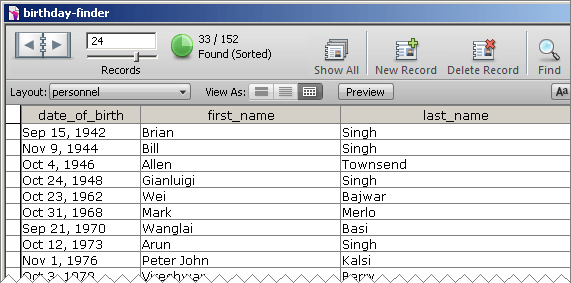
But as I recall, you will also be deploying a copy of your database in Australia, where dates are formatted D/M/Y, and the above syntax won’t work for reasons I outlined in part 1. So, once again, I recommend that you use the Japanese date format (Y+M+D), and script the above find as…
 Request 1: *+9+{8..30}

Request 2: *+10+*

Request 3: *+11+{1..15}
…which will work in both the US and Australia (and any other place that uses M/D/Y or D/M/Y). Incidentally, here’s a demo called birthday-finder that uses the Japanese date format and popup calendars to set the birthday range.

Enjoy,
FileMaker Hacks