Level: Intermediate, Version: FM 10 or later

Filtered Relations, part 4

In parts 1, 2 and 3 of this series, we looked at various methods for dealing with a relational challenge (see the first two paragraphs of part 3 for a succinct description). My aim was to explore some outside-the-box ways to generate filtered totals while respecting the normalized data structure of the three tables.

However if WAN performance is a primary consideration, then denormalizing the data model by redundantly storing invoice dates in the Line Items table is worth considering. (You can follow along in this article’s demo file, filtered-relations-04, if you are so inclined.)

a) create a new relationship from Products to Line Items using the following predicates…

b) define a calculated field in Products to sum across this relationship.

Continue reading “Filtered Relations, part 4”

Level: Intermediate, SQL, Version: FM 8 or later

Filtered Relations, part 3

Today we’re going to take a third look at the challenge we encountered in part 1 of this series: Given a simple database consisting of Products, Invoices and Invoice Line Items, how can we show total sales per product filtered by date range?

Reminder: what makes this problem challenging is the fact that the date field lives in the Invoices table, but the product foreign key (fk_product) lives in the Line Items table.

To briefly recap, we solved this problem in part 1 at the cost of adding a couple fields and table occurrences, i.e., by leveraging the relational model. And in part 2 we solved this problem by displaying a related summary field inside a one-row filtered portal. Continue reading “Filtered Relations, part 3”

Level: Intermediate, Version: FM 11 or later

Filtered Relations, part 2

Today we’re going to take another look at the challenge we encountered in part 1 of this series. The challenge is: given a simple database consisting of Products, Invoices and Invoice Line Items, how can we show total sales per product filtered by date range?

One thing is certain: assuming a normalized data model (with the date in the Invoices table), some sort of trick will be required. In part 1, we leveraged the FileMaker relational model to solve this problem, by adding additional table occurrences to the Relationships Graph, as well as some calculated fields in the products table. Continue reading “Filtered Relations, part 2”

Level: Intermediate, Version: FM 10 or later

Filtered Relations, part 1

[I want to start out by expressing major thanks to Jason DeLooze, who graciously read an early draft of this article, and with some outside-the-box brainstorming (a specialty of his), transformed my sluggish approach into a blazing speed demon.]

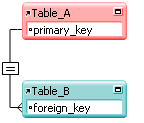
Many of the relationships we define in FileMaker are predictable and mundane. A field in table A is linked to a field in table B via an equijoin (=) operator. We do it every day and we’ve done it countless times. Of course we often define more complex relationships as well: ones with multiple predicates and/or more esoteric operators than the venerable equijoin.

Even in this (FM 11) era of filtered portals, we solve many design and business logic problems relationally. However, once in a while a challenge crops up that seems like it should be solvable using the FileMaker relational model, but that frustrates our initial attempts to do so. For example, let’s look at three tables from a sales database:

On our Products list, we’d like to be able to set a date range in the header, and then see cumulative sales for each product during that period. Continue reading “Filtered Relations, part 1”