JSON, Level: Advanced, Version: FM 18 or later

JSONQuery v2 Conversation with Steve Senft-Herrera, part 2

Note 1: This conversation primarily focuses on new features and improvements in JQ v2. For a more general introduction to JSONQuery see the “Resources” section at the beginning of part 1.

Note 2: JSONQuery v2 is available here — https://github.com/steve-ssh/FMP_JSONQuery.

Continuation of JQ v2 conversation with Steve Senft-Herrera

Kevin Frank: There are a couple little improvements in v2 we haven’t mentioned yet. Is this a good time?

Steve Senft-Herrera: Sure.

KF: Okay, thanks. One that I really like is that you can now use “=” in place of “EQUALS” — you don’t have to, but you can. In v2 either of these will work…

JSONQuery ( $input ; "region" ; "EQUALS" ; "Asia" ; "" ; "name" )

or

JSONQuery ( $input ; "region" ; "=" ; "Asia" ; "" ; "name" )

KF: …whereas in v1 you had to write out “EQUALS”.

SSH: Yeah, I like that one too.

KF: Another improvement is that when “MATCH_ALL” is your Operator, you can now simply leave that argument blank. As per ex. 197 in the example file, these two statements are equivalent.

and

SSH: It’s a small change, but I like it because there is less to distract the eye from what really matters in the calculation: your input JSON, and the desired key or path to harvest — in this case, “address”.

KF: Completely agree.

The MAP Component

KF: You know there is an absolute favorite item on my list that hasn’t been mentioned yet, and it has to do with the simplification of MAP syntax.

SSH: That is definitely right there at the top of my list of favorite features also. Continue reading “JSONQuery v2 Conversation with Steve Senft-Herrera, part 2”

JSON, Level: Advanced, Version: FM 18 or later

JSONQuery v2 Conversation with Steve Senft-Herrera, part 1

Background

JSONQuery 2.0 was released last month with a wealth of new features, along with some improvements to existing features as well. Steve and I spoke about it recently, and we’ll get to that in just a moment. But first, for those who may not be familiar with JQ, here’s a bit of background information.

What is JSONQuery?

JSONQuery is a FileMaker custom function authored by Steve Senft-Herrera that enables you to query JSON (works with FM 18+).

Basic Things JSONQuery Does

1) Query – Allows for finding elements that match a supplied value, with a variety of options for operators.

2) Aggregate – Allows for returning an aggregate, e.g., SUM, AVG, LIST, etc., of values taken from either the matched elements, or all of the input.

3) Transform – Allows for customization of how the results are returned, with the option to pick-and-choose what attributes are included in the output, and how they are named.

Official Site

https://github.com/steve-ssh/FMP_JSONQuery

Other Resources

Introductory Remarks

Kevin Frank: Welcome back Steve. It’s been 3 years since we had our first JSONQuery conversation, and I’m so excited about JQ v2.

Steve Senft-Herrera: Thank you. I checked out the dates just before we met tonight, and saw that it is about 3 years.

KF: Hard to believe it’s been that long, and I want to congratulate you, because I know that it’s been a formidable effort on your part to get v2 out. And I speak for a lot of FM developers when I say we truly appreciate it.

SSH: Well, thanks. The formidable part, I think, was actually just managing my own life schedule to make time for it, more than the actual work that had to be done. There were long periods of time where the work was mostly finished, but just had to sit there patiently before I could get to it and take it to the next milestone. Now it’s officially out. Continue reading “JSONQuery v2 Conversation with Steve Senft-Herrera, part 1”

JSON, Level: Advanced, Version: FM 16 or later

Fast Summaries to JSON, part 2

This is a follow up to last week’s Fast Summaries to JSON and will assume the reader is familiar with that material.

Demo Files

After last week’s article appeared, a reader contacted me wondering whether the technique could be adapted to provide a more literal JSON representation of what was visible on-screen. The answer turns out to be yes, with a bit of additional work…

Continue reading “Fast Summaries to JSON, part 2”

JSON, Level: Advanced, Version: FM 16 or later

Fast Summaries to JSON

The other day some colleagues were discussing a need to produce a JSON representation of the data in a summary report. Long time readers of this blog will know that I am obsessed with fond of the Fast Summary technique, and it seemed like it might be a good fit for this challenge, so I built some demos to find out if that would be the case.

Demos 1 and 4 will work with FM 16 or later. Demos 2 & 3 utilize recently-added JSON features, so require FM 21 or later.

Continue reading “Fast Summaries to JSON”

ExecuteSQL, JSON, Level: Advanced, SQL, Summary List, Version: FM 20.2 or later

OnWindowTransaction JSON

Demo file:  on-window-transaction-json-v2.zip
Credentials:  admin / admin
Minimum version:  20.2  [for both client and server]

Note: This demo file is optimized for Perform Script on Server (PSOS), and is intended to be hosted on FileMaker Server or FileMaker Cloud.

Introduction

Recently a colleague mentioned that they were running into a performance issue trying to load a complex found set (customers, invoices and line items) as an array of objects into a $$variable. It was simply taking too long across a WAN connection, and contributing factors included unstored calculations referencing related unstored calculations, and the rendering taking place client side as opposed to server side.

We’ve explored rendering a found set as JSON here previously…

…but both of the above involve constructing the JSON on the fly at runtime. My colleague was hoping for something faster, and today we’re going to look at a fresh approach. Continue reading “OnWindowTransaction JSON”

JSON, Level: Advanced, Level: Intermediate, Version: FM 16 or later

FastRange Custom Function

Recently I needed to produce a large range of consecutive numbers. FileMaker doesn’t provide a built-in function for this but it’s easy enough to accomplish, for example, using the While function or a recursive custom function. In this case, I decided to go a different route based on a tip I’d seen someone post years ago (I’ve forgotten whom so cannot give proper credit) that you can leverage a couple of FileMaker’s JSON functions to facilitate this task, with the advantages being blazingly fast performance and an opportunity to think outside the box.

Demo file:  fastrange-cf-v1.04.zip
Continue reading “FastRange Custom Function”

JSON, Level: Advanced, Version: FM 19.5 or later

JSON Custom Functions for FM 19.5, part 2

This article is part of a series. See also…
JSON Custom Functions for FM 19.5, part 1
JSON Custom Functions for FM, part 3

Demo Files

Note: some of the CFs have been revised and/or renamed since part 1, so if you plan to use these CFs, make sure to download today’s “part 2” file. Continue reading “JSON Custom Functions for FM 19.5, part 2”

JSON, Level: Advanced, Version: FM 19.5 or later

JSON Custom Functions for FM 19.5, part 1

This article is part of a series. See also…
JSON Custom Functions for FM 19.5, part 2
JSON Custom Functions for FM, part 3

Demo File

Introduction

Today we have some custom functions (CFs) that can help you accomplish various JSON-related tasks in FileMaker. Back in 2018 I had this to say about JSON custom functions…

My inclination is to really understand something before I use a custom function to simplify things, but that’s a matter of personal choice… and one which can vary depending on the situation.

And four years later I find myself using JSON custom functions on a daily basis, to save time and to boost productivity — for example, to merge two objects into a single object, or to deduplicate an array.

Note: where appropriate, some of today’s custom functions utilize bracket notation to avoid unexpected results when and if key names contain wonky characters such as dots, brackets or braces. You can read more about bracket notation in Thinking About JSON, part 4.

And with that said, let’s move on to… Continue reading “JSON Custom Functions for FM 19.5, part 1”

JSON, Level: Advanced, Version: FM 18 or later

Button Bar Segment Fun

Demo Files

Today we’re going to look at some ways single-segment button bars (SSBBs) can help produce dynamic column headings for list views and/or reports, with a goal of concentrating logic into the segment calculation and reducing schema dependencies elsewhere. This is a work in progress, rather than a finished, battle-hardened methodology. The aim is to explore possibilities and stimulate discussion.

Note: the demo files are built on top of an “empty” virtual list table. The point is not to (once again) dive into virtual list or clickable/sortable column headings, but to provide a list view we can pretend contains valid entries, while we focus on what’s going on in the layout header part.

Disclaimer: these techniques are in the proof-of-concept stage. As with all techniques on this (and any other) site, use with a healthy dose of common sense and at your own risk.

Continue reading “Button Bar Segment Fun”

ExecuteSQL, Level: Advanced, SQL, Version: FM 18 or later

Exploring Wordlespace with SQL and While

Recently we’ve discussed optimizing SQL queries in FileMaker, and had some fun with various SQL experiments. Today we’re going to explore some ways FileMaker can use ExecuteSQL and the While function to perform letter frequency and text pattern analysis on candidate words for the popular Wordle game.

The list of words comes from https://github.com/tabatkins/wordle-list and purports to include the actual answer words, as well as all allowable guess words. I don’t know how valid this list of words actually is, or, assuming it is currently valid, whether it is carved in stone or will change at some point in the future.

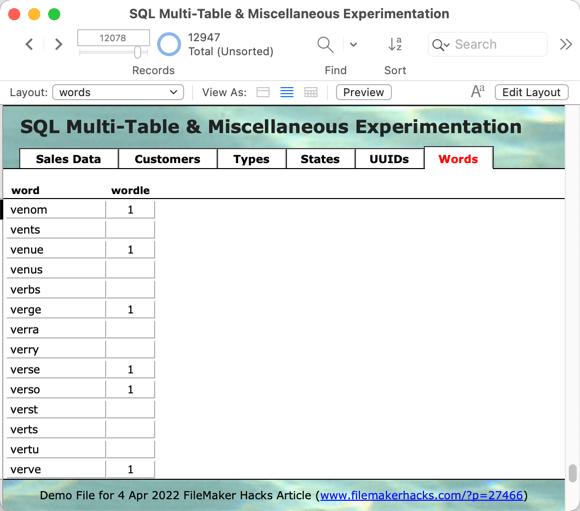
Demo file: SQL-Multi-Table-Experimentation-Wordle.zip

Some Notes

  • Today’s file is functionally identical to the one from last time; if you already have it, there’s no need to download this one.
  • No attempt is made to differentiate between daily Wordle words that have already appeared vs. those that have yet to appear.
  • SQL is case-sensitive in the WHERE clause; all our examples today use lower case letters so we may safely ignore the issue for the duration of this article.
  • For a general-purpose introduction to SQL in FileMaker, see Beverly Voth’s Missing FM 12 ExecuteSQL Reference.

Continue reading “Exploring Wordlespace with SQL and While”